
4Enable your employees
Who it is for
For the Microsoft 365 admin, who names the pilot people, and for the employees who message Romy first.
Why
Romy only talks about a device with the person named for it. In the first chat you see the whole path from question to result.
- 8Romy operations
Name the pilot people
Romy only talks about a device with the person named for it. That way nobody learns about someone else’s device.
How to do it
- You name the people, and Romy operations enters them in the portal for your organisation.
- Time
- 5 minutes
- Check
- The person asks “Which version are you?” and Romy names their own device.
- Undo
- Romy operations removes the person again.
Permissions in this step
—
Required- Type
- —
- What for
- No new permission in your tenant
Next, step 9, The first chat
- 9EmployeesAccess level 3
The first chat
Here you see the whole path in one chat. Someone asks, confirms and gets the result. Nothing changes without confirmation.
How to do it
- The pilot user messages Romy, for example “Why is my laptop so slow?”
- Romy recognises organisation, person and device and sends a card to confirm.
- After the click a signed order goes to the Romy App. The result comes back as a card.
- Time
- 1 minute
- Check
- The result card is in the chat, and Romy operations sees the same order in Studio.
- Undo
- Nothing to undo. Reading changes nothing, and Romy only acts after a click.
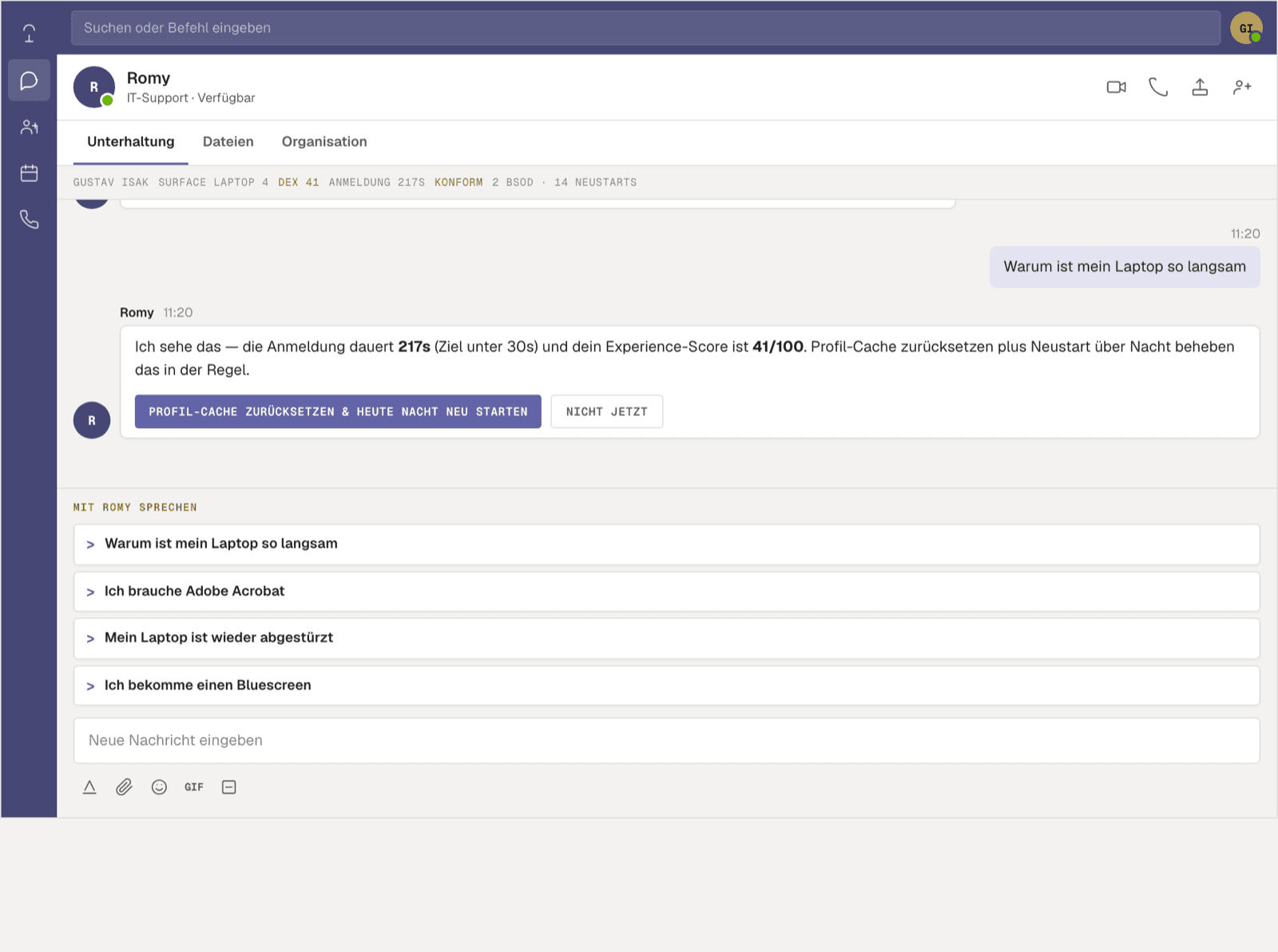
Screenshot of the demo on getromy.com, fictional person Permissions in this step
—
Required- Type
- —
- What for
- The person confirms it themselves, every time