
2Romy App for Windows
Who it is for
For your Intune admin, who deploys the app. Romy operations then approves each device.
Why
The Romy App lets Romy help right on the device. It only reads when someone asks and only acts when the person confirms.
- 5Intune adminAccess level 1
Deploy the Romy App for Windows
The Romy App lets Romy help on the device. It reads when someone asks and acts only after confirmation. Without it, Romy works with Microsoft 365 data only.
How to do it
- Run 2-romy-app-hochladen.ps1 -Kundenkuerzel KB-… with an account in “Romy Intune Admins”. You can also do it by hand with the values shown.
- Assign the app as “Required” to “Romy Pilot Devices”.
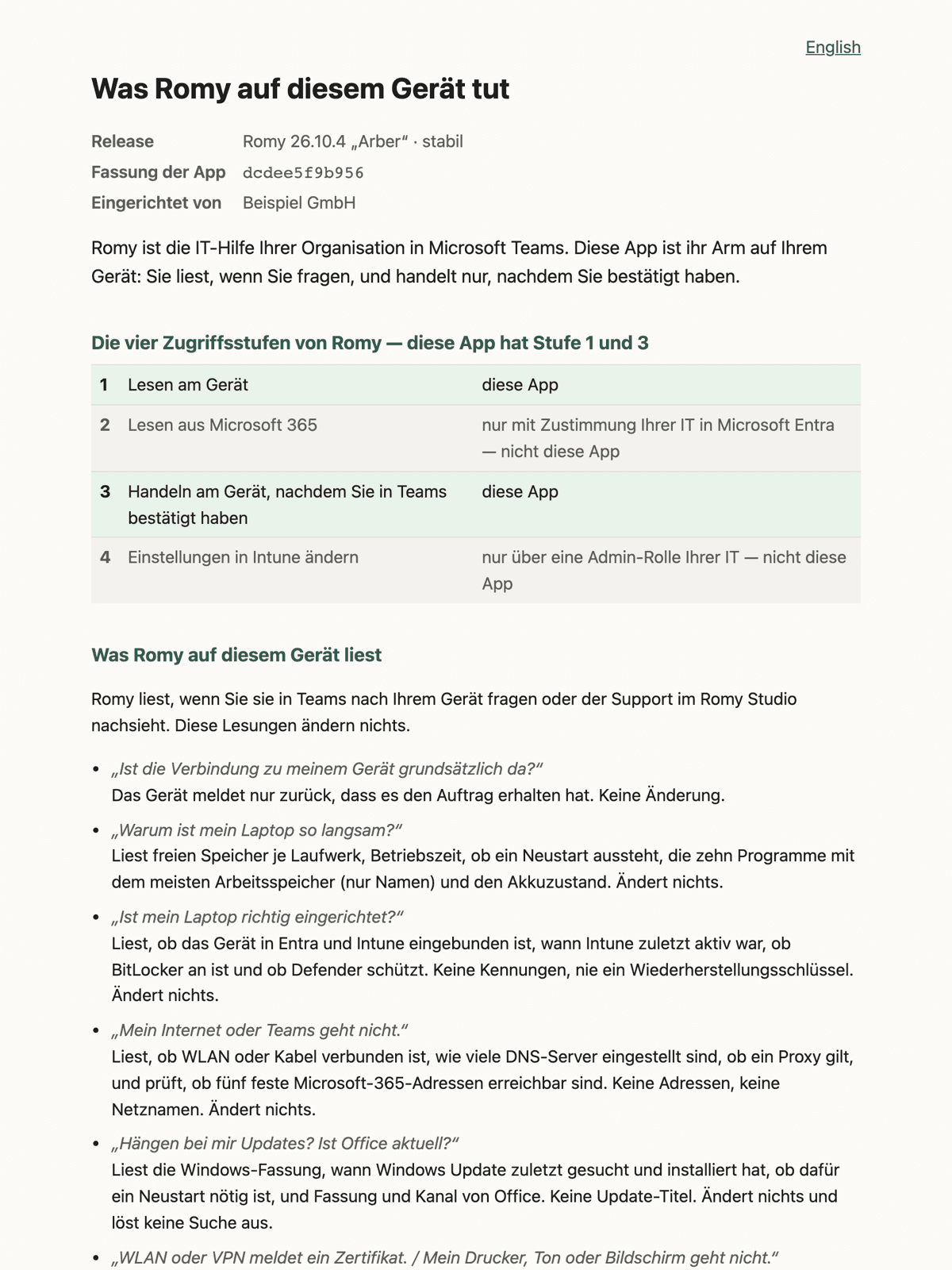
- The device shows the notice page “What Romy does on this device”.
- Time
- 15 minutes, plus up to 1 hour until Intune reaches the device
- Check
- Intune → Apps → Romy → Device status “Installed”. The device shows the notice page.
- Undo
- Switch the assignment from “Required” to “Uninstall” and delete the app later.
romy-app-26.10.4.intunewinRomy 26.10.4 „Arber“ · stabil · 15.10.2026 · 110 KBMicrosoft Intune admin centersimplifiedApps › Windows › Add › Windows app (Win32) App package fileromy-app-<release>.intunewinInstall commandinstallieren.cmdUninstall commanddeinstallieren.cmdInstall behaviourSystemArchitecturex64 · ARM64Minimum OSWindows 10 1607DetectionScript erkennung.ps1 · 32-bit: No · Signature check: NoAssignmentRequired → Romy Pilot DevicesScope tagROMYWhat the script needs at sign-in (delegated)
DeviceManagementApps.
RequiredReadWrite. All - Type
- Delegated
- What for
- Create the Win32 app “Romy” or replace its content. The role above limits this
Group.
RequiredRead. All - Type
- Delegated
- What for
- Find the group “Romy Pilot Devices” for the assignment
DeviceManagementRBAC.
RequiredRead. All - Type
- Delegated
- What for
- Find scope tag ROMY and attach it to the app
Next, step 6, Approve the device in Romy Studio
- 6Romy operations
Approve the device in Romy Studio
A device only becomes active once a person at Romy approves it. Romy operations approves pilot devices right away and every further device one by one.
How to do it
- The device reports with the status “awaiting approval”.
- Romy operations approves it and lets you know.
- Time
- a few minutes
- Check
- Romy operations confirms that the device is approved and the first report is in.
- Undo
- Romy operations blocks the device straight away when you ask.
Generated from the Romy catalogue, sample organisation Beispiel GmbH Permissions in this step
—
Required- Type
- —
- What for
- No new permission in your tenant
Next, step 7, Deploy Romy on Teams